Large file transfers
Send large files using storage available to your deployment. Actual limits depend on configuration and available capacity.


Secure file sharing. Your environment.
Securely send, receive, and share large files with LiquidFiles. CTI helps bring the solution into your organization’s environment and workflows.
Built around your workflow
LiquidFiles combines secure file transfers, customizable branding, and administrative controls in a solution CTI can help integrate into your environment.
Send large files using storage available to your deployment. Actual limits depend on configuration and available capacity.
A deployment on your own network can improve performance in some circumstances. Speeds depend on connections, configuration, and file size.
Control your deployment’s configuration and access policies. CTI can help integrate the solution with your security requirements.
Customize the appearance with your logo and colors. Explore branding options and examples.
File expiration and group-based settings can help simplify ongoing administration.
Discuss deployment, integration, support, and any associated service fees with CTI.
See how CTI can helpFor colleges and universities
Campuses use LiquidFiles to take sensitive records out of email. LiquidFiles is based in Australia, so most US institutions can’t buy from it directly. CTI is its authorized reseller in the US: a US vendor that accepts purchase orders, card or ACH, and helps you deploy.
Give students and families a Filedrop link for tax returns and IDs. Uploads are encrypted and logged, which supports your GLBA Safeguards Rule program.
Send and request student records with download receipts and automatic expiration, instead of email attachments.
Exchange tax forms, benefits files and other personal data with outside providers. Recipients never need a license.
Run LiquidFiles inside a research enclave. FIPS mode (LiquidFiles v4.2 and later) uses FIPS 140-3 validated modules for CMMC and NIST SP 800-171 programs.
A typical secure transfer
Attach files, enter recipients, and choose the applicable access settings.
Recipients receive an email containing a download link.
Recipients complete the configured verification steps and download over HTTPS.
Review download activity and receipts to see when files were retrieved.
The exact experience depends on your administrator’s authentication and notification settings.
Choose where it runs
LiquidFiles is server software deployed as a virtual appliance. Choose the environment that fits your infrastructure and operating requirements; CTI can help plan the setup.
Run within your organization’s environment using a supported platform such as VMware or Hyper-V.
For organizations managing their own infrastructureDeploy in your Azure environment and plan compute, storage, networking, and access requirements.
For teams using Microsoft cloud infrastructureRun in your AWS environment with the infrastructure configuration and capacity your deployment requires.
For teams using Amazon cloud infrastructureHosting and infrastructure costs are separate from the LiquidFiles software license. Platform suitability and configuration should be confirmed during planning.
Bring supported LiquidFiles attachment workflows into Outlook.
Review LDAP or Active Directory connections and user-group mapping.
Assess compatibility with your identity provider and access policies.
Plan application or automation connections using supported API methods.
CTI can help assess compatibility and define an integration scope for your environment.
Make LiquidFiles work for you
From the first branded login to everyday file sharing, CTI helps you plan how LiquidFiles fits your organization. The examples below illustrate areas to discuss with our team; the final scope depends on your requirements, platform capabilities, and agreed services.
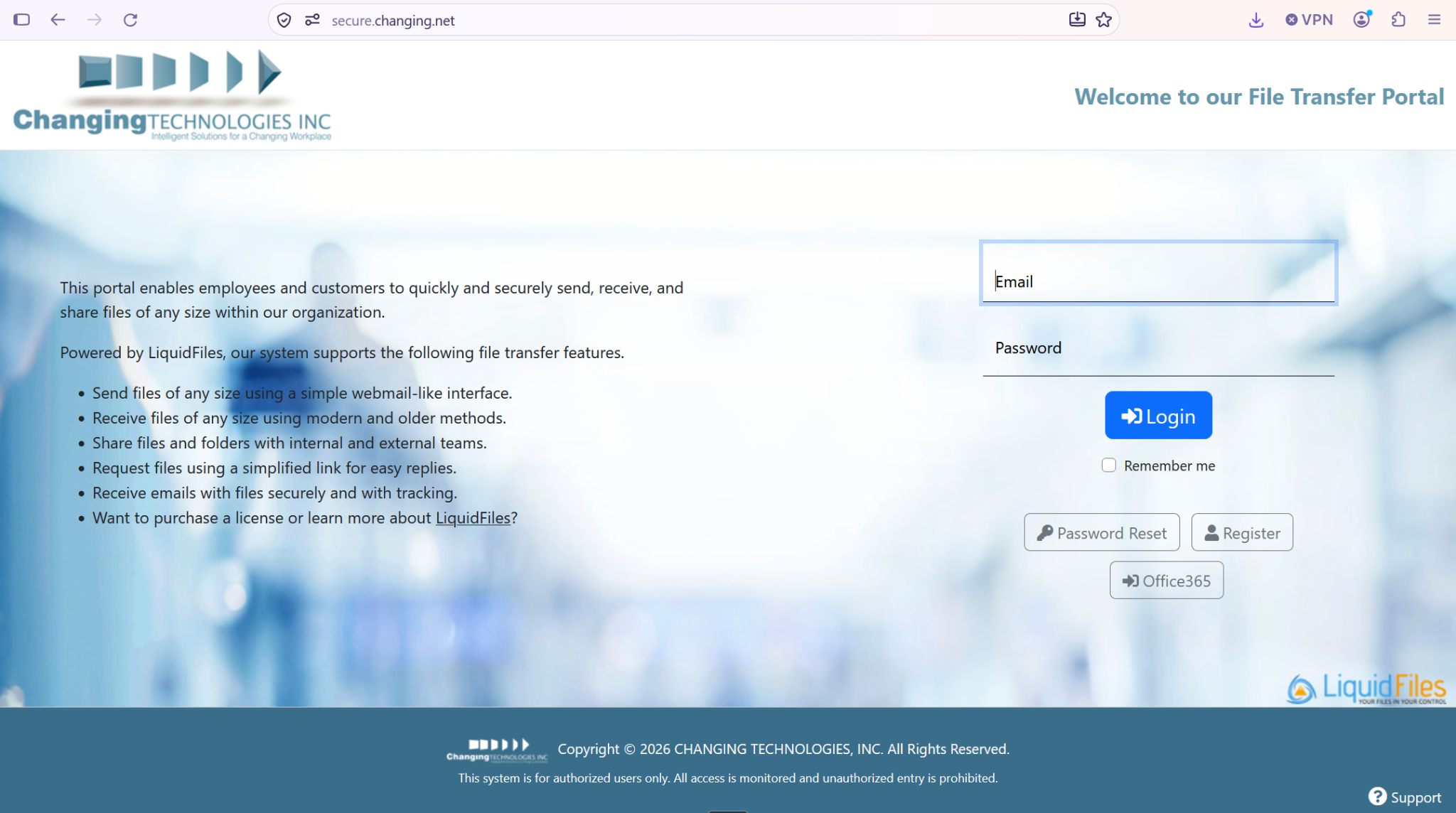
Apply your logo, colors, and supported portal styling so users recognize your organization.
A consulting firm could use its logo, colors, and dedicated portal address to give clients a familiar upload experience.
Plan hosting, storage, networking, and launch testing around your file-sharing requirements.
A project team could pilot large-file transfers to validate storage capacity and external access before rollout.
Connect LiquidFiles with supported identity, email, application, and document-collection workflows.
A partner-document workflow could define upload requests, notifications, access permissions, and content expiration.
Tell CTI about your users, hosting environment, branding guidelines, and systems you want to connect. We’ll discuss feasibility, responsibilities, service scope, and any associated fees before work begins. Confirm implementation and support scope and fees with CTI.
Four ways to work with files
Send files with a download link and configurable access controls.
Use Filedrop pages to collect incoming files at a dedicated address.
Collaborate in shared folders with permissions and expiration settings.
Email a one-time upload link when you need documents from someone.
Inside LiquidFiles
Explore CTI’s branded sending, file-request, and share-management pages. Select a screenshot for a larger view.
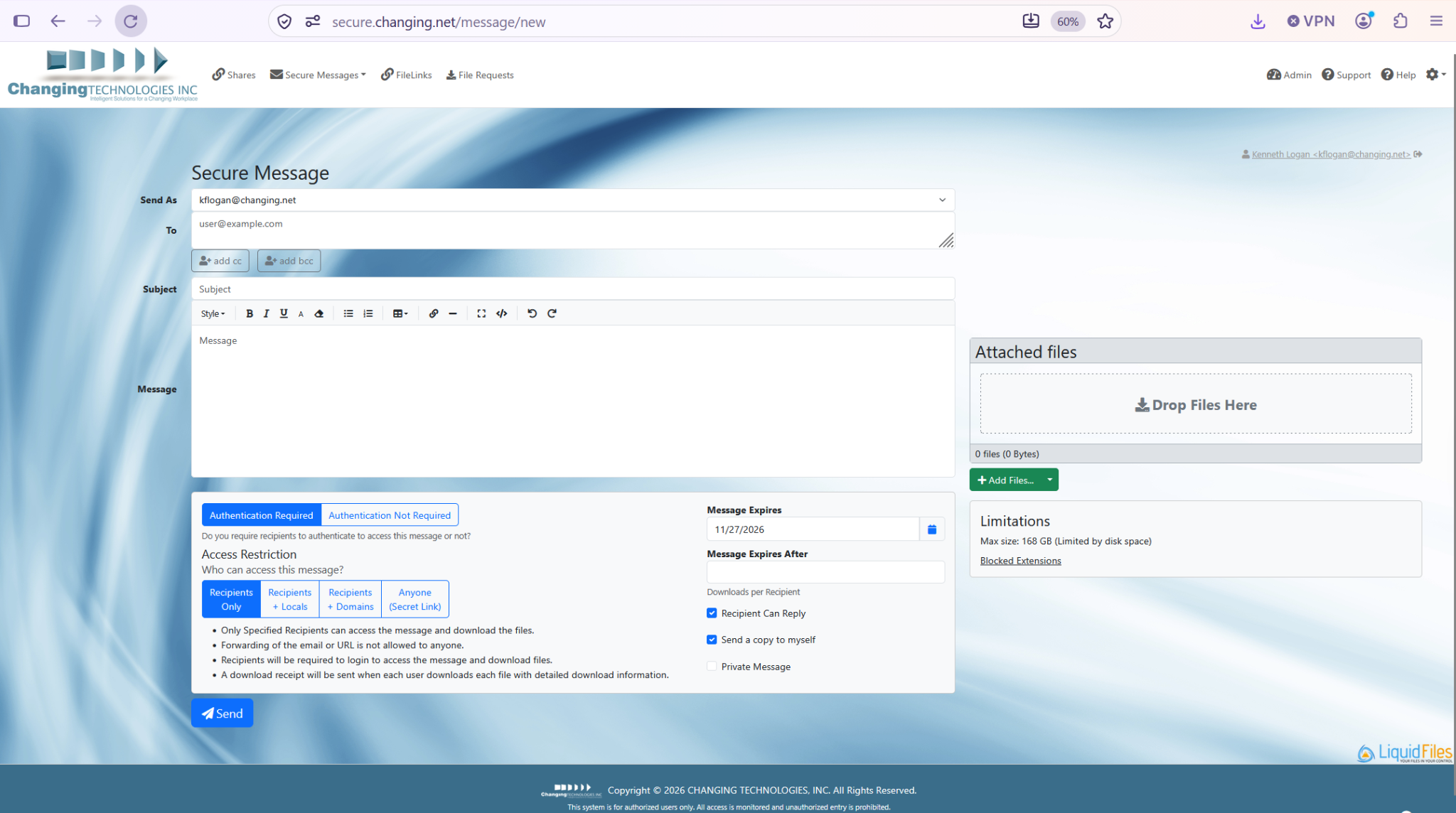
Compose a secure message, attach files, and choose access and expiration settings in CTI’s branded portal.
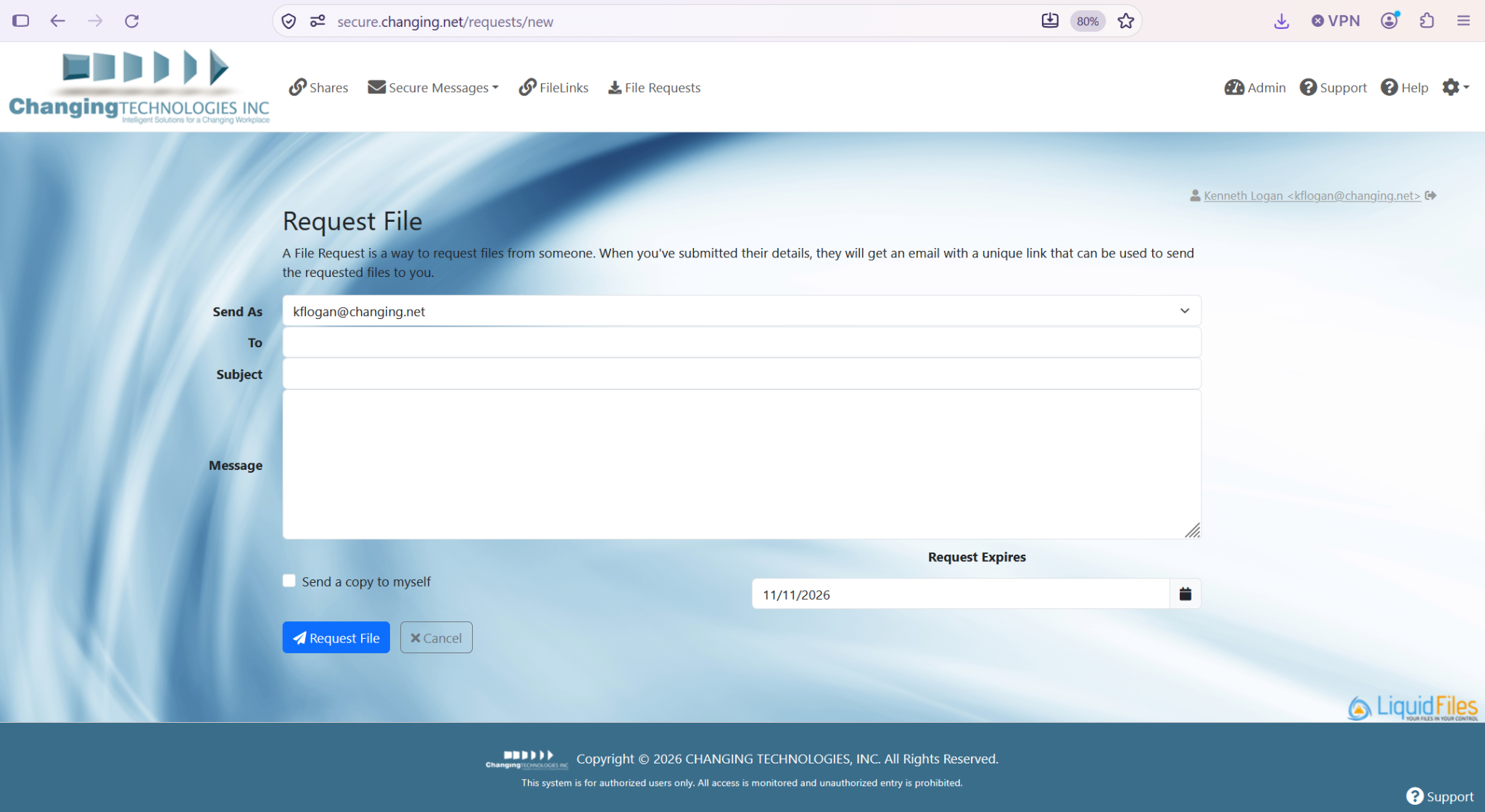
Request files from clients or partners using CTI’s branded request form and an upload link.
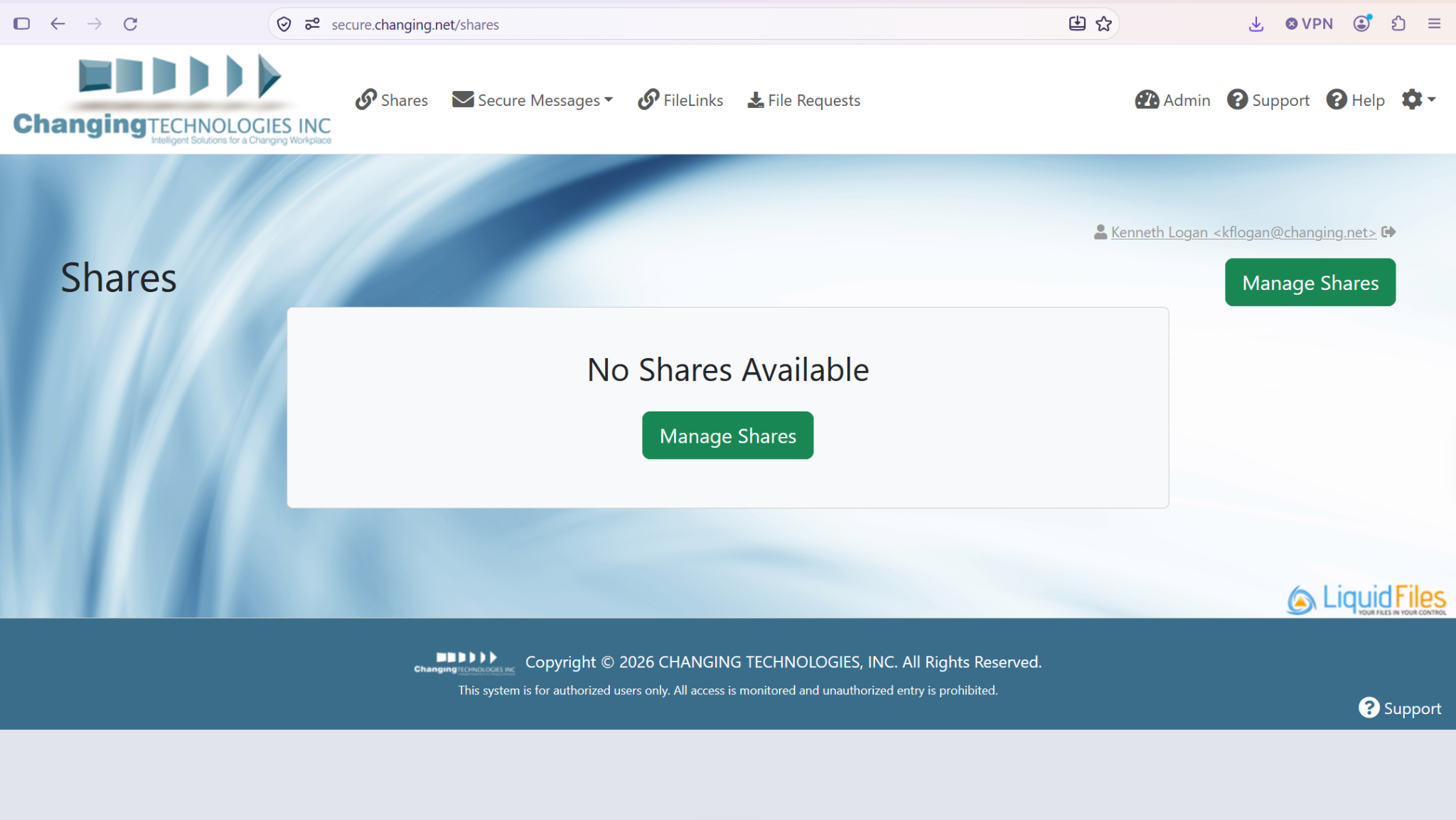
View and manage shares in CTI’s branded portal. This example shows the screen before any shares are configured.
Screenshots from CTI’s branded LiquidFiles portal. Interfaces and available options depend on your version, permissions, and configuration.
See the solution
Watch the overview to explore the file-sharing experience.
For security and procurement teams
Everything your information security office and purchasing department usually request, in one place.
LiquidFiles publishes a filled-in HECVAT 4 workbook with evidence links for each answer, ready to share with your security office.
Get the HECVAT response →Transfers use 256-bit encryption over TLS 1.2 or 1.3. An optional FIPS mode uses FIPS 140-3 validated cryptographic modules.
Read about FIPS mode →LiquidFiles targets WCAG 2.1 Level A and AA. Ask CTI for the VPAT / Accessibility Conformance Report for your review.
Request the VPAT →Buy from a US company: Changing Technologies, Inc., in business since 1997, DC CBE certified and listed on the DC Supply Schedule.
Request our W-9 →Upload a purchase order, or pay by credit card or ACH through a secure QuickBooks payment link. All prices are in USD.
Order online →Renew early and the new term starts when your current license ends. Enter your license ID and CTI applies the renewal to it.
Start a renewal →Build your license
Pick a term, slide to the number of internal users who send files, and see your total instantly. Recipients outside your organization never need a license.
Count the people in your organization who send, request or share files. Anyone you send to downloads without a license.
Over 200 users? The Unlimited license covers every internal user (one license per domain). Need special terms or help sizing? Talk to CTI.
Email liquidfiles@changing.net.
Order online
Complete three quick steps; the order summary updates as you go. Paying by credit card or ACH? CTI confirms your order and emails a secure QuickBooks payment link. Going through procurement? Choose purchase order and attach your PO. For renewals, choose “Renewal” and enter your existing license ID.
Questions? Email us · Privacy Policy
Try it first
LiquidFiles offers a free 45-day trial. CTI will help your team stand it up: the virtual appliance or cloud instance, a certificate, single sign-on and a Filedrop page for one pilot office. Questions about licensing, renewals or security documents? Use the same form.
Prefer email? liquidfiles@changing.net · (202) 688-3631